
I walked in, said I was cold, and the house sorted itself out. Heater on, lights on, no app opened, no switch touched, no argument with a voice assistant that heard “cold” and played a song called Cold. That is the whole pitch: a small agent that hears a normal sentence, works out what you want, and does it through Home Assistant — with one hard rule. It never does anything risky on its own. If it wants to unlock your front door, it stops and asks first.
This is a home assistant ai agent mcp project: the agent talks to your house through a tidy set of tools. You say the words, the agent picks the tools, Home Assistant runs them. The version you build here runs entirely in demo mode, with a fake house, fake devices, and no server, no API key, and no cloud account. Then, when you are ready, the same code talks to a real Home Assistant install, and the same tools can be exposed through a real MCP server.
Why voice assistants do half the job
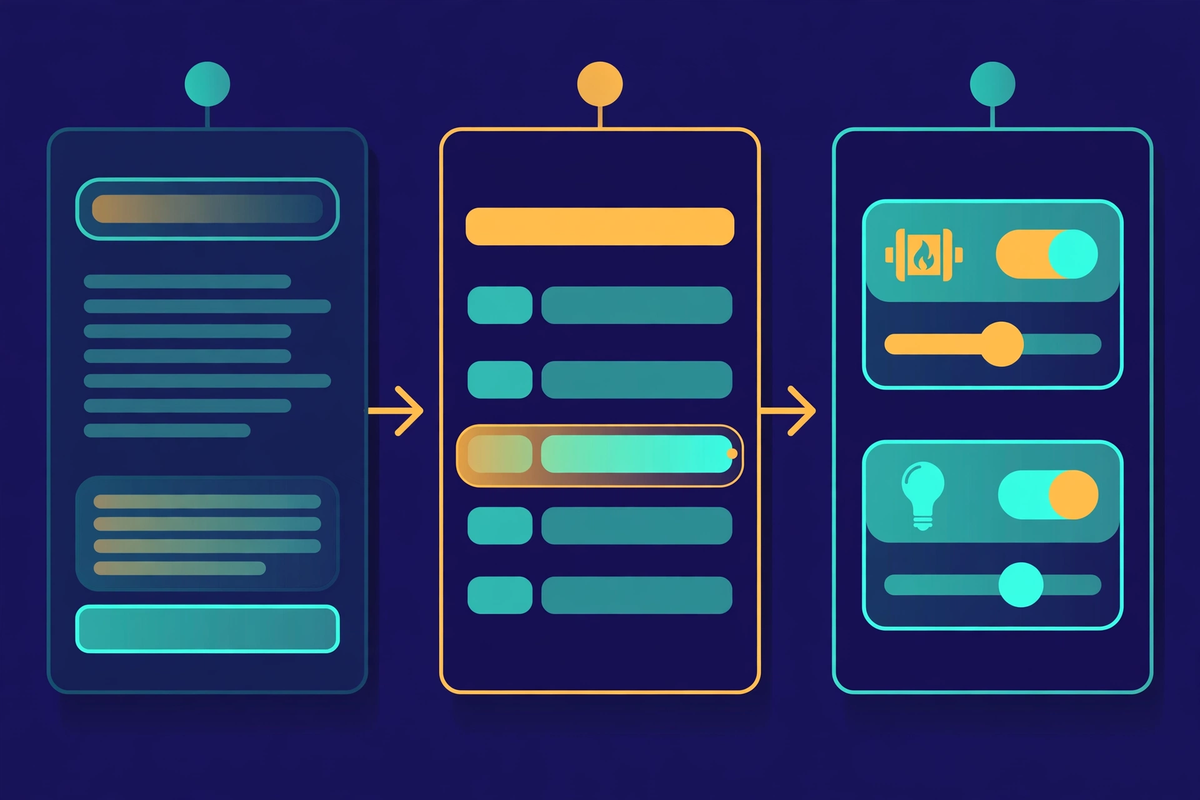
Normal voice assistants are brilliant at one thing and useless at the next. Ask for the weather and you get a forecast in a calm voice. Ask for something involving two devices and a bit of judgement and the whole thing falls apart. “It’s cold and I’m home” is not a command. It is a complaint with a hint in it, and a normal assistant finds no exact command to match, so it does nothing, or does the wrong thing with great confidence.
Houses are not a list of commands. They are a pile of states: heater off, living-room lights off, bedroom lights on, front door locked. A useful agent looks at that pile, listens to what you said, and connects the two. “I’m cold” means the heater. “I’m home” means the lights. “I’m going to bed” means turn the lights off, all of them.
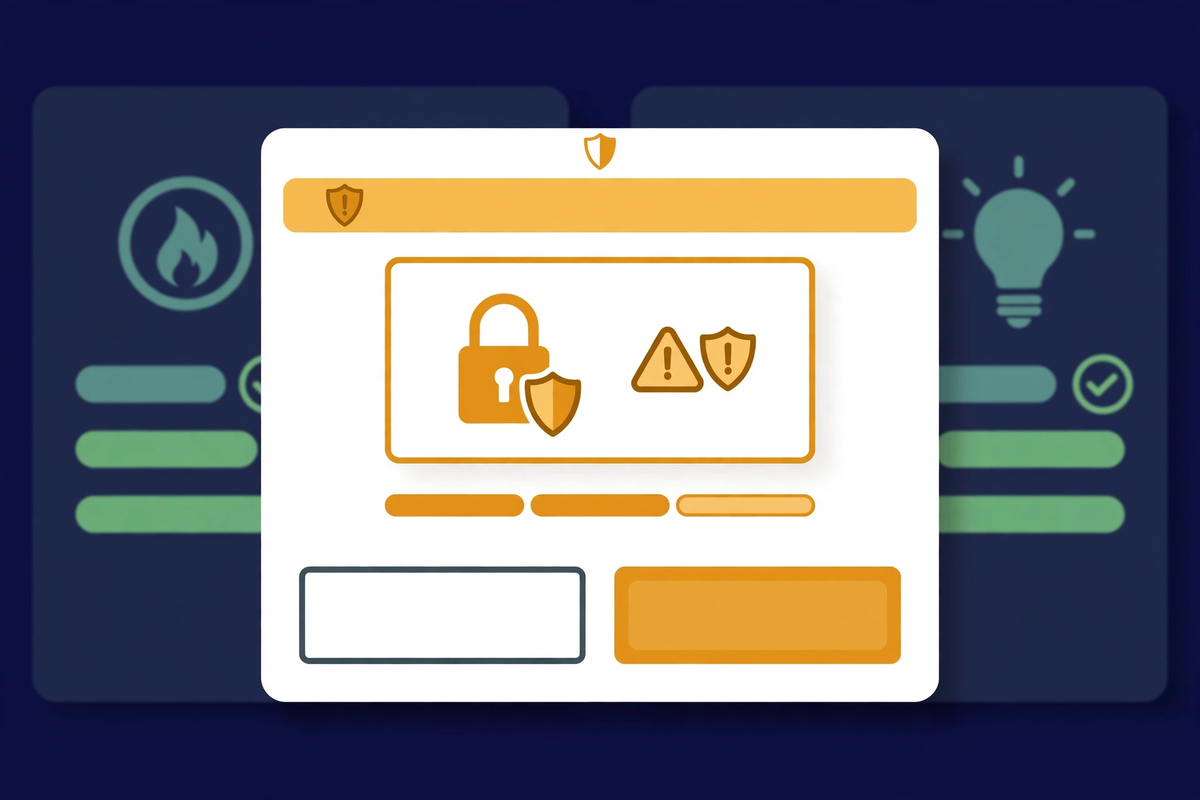
The other half of the problem is trust. An agent that can turn your lights on can also unlock your front door, and those are not the same kind of action. So this agent has a gate in the middle of it. Safe things go straight through. Risky things stop, print “needs approval”, and do nothing until a human says yes. That gate sits in the code path every action must walk through, and the demo proves it by trying to unlock the door and getting refused.
What you need
You need Python 3, a text editor, and about half an hour. Demo mode needs nothing else: no Home Assistant server, no token, no API key, no account. The fake house lives inside the code.
For the real version, you need a Home Assistant install — most people run one on a Raspberry Pi — plus a long-lived access token from your profile. A Gemini API key is optional, for smarter routing. The keyword router is the fallback the demo uses. Start with lights and a heater. Leave the lock until you trust the gate.
How it works
The request comes in as a plain sentence. The router in agent.py scores it against five intents: warm up, cool down, arrive home, lights off, and unlock door. Each intent has keywords with weights, and anything at or above 0.35 counts as a match — the maths section walks through that number with the real figures from the demo.
Each intent maps to tools. Warm up maps to set_heater at 22.0°C. Arrive home maps to set_lights for the living room, on, at 100% brightness. Lights off maps to set_lights for all rooms, off. Unlock door maps to unlock_door, which is where the fun stops.
The tools live in tools.py, written in the shape an MCP server expects: a name, a description, and parameters. set_heater takes a temperature, set_lights takes a room, a state, and a brightness, and get_temperature reads the living-room sensor. None of these tools talk to Home Assistant directly. They talk to a client.
The client lives in ha_client.py, and it comes in two flavours. FakeHA is a simulated Home Assistant with 7 entities: a heater, 3 lights, a front-door lock, a garage door, and a temperature sensor. It keeps their states in a dictionary and applies service calls to it. HomeAssistantClient is the real one. It talks to the Home Assistant REST API with a token, and it has the same two methods, get_state and call_service, so the agent cannot tell which one it is using. Swap the client and the same agent runs your real house — one function, get_client(), picks FakeHA whenever demo mode is on, which is the default.
Between the tools and the client sits the approval gate. The function is_risky() checks the tool name and its parameters. unlock_door is always risky. open_garage is always risky. set_heater is risky only above 24.0°C, because asking for a sauna at midnight is worth double-checking. Everything else is safe. When a call is risky and nobody has approved it, the agent prints BLOCKED with the words “needs approval” and moves on without touching the device. It does nothing, and the device stays exactly as it was.
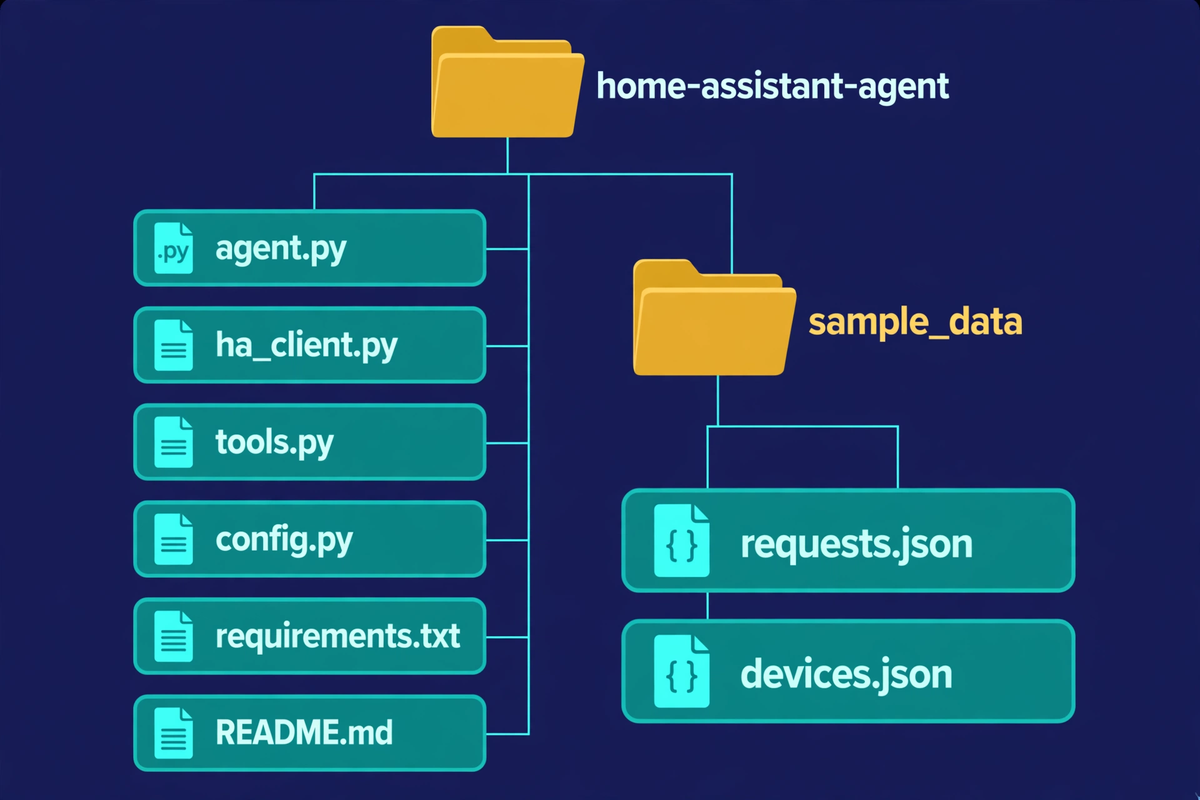
The folder looks like this: agent.py does the routing and the running; ha_client.py holds the fake house and the real client; tools.py holds the six MCP-style tools; config.py holds the numbers, including the 0.35 threshold, the 24.0°C risky line, and the 22.0°C comfort temperature; requirements.txt is almost empty because demo mode uses only the Python standard library; README.md covers setup; and sample_data holds requests.json, the 4 demo requests, and devices.json, the starting states of the simulated devices.
The maths
Most tutorials wave their hands here and say “the AI works it out”. This one does not: the routing is arithmetic you can check on a napkin. Each intent owns keywords, each keyword has a weight, and confidence is the matched weight divided by the total weight of that intent’s keywords. A score of 1.000 means it matched everything it knows. The threshold is 0.35, so an intent needs just over a third of its total weight before it fires.
Take “it’s cold and I’m home”. Warm up has 5 keywords: cold at 3, freezing at 2, chilly at 1, warm at 1, heater at 1. Total weight is 8. The request matches cold, worth 3, so confidence is 3 divided by 8, which is 0.375 — above 0.35, but only just, by 0.025. Arrive home has 3 keywords: home at 3, back at 1, arrived at 2. Total weight is 6. The request matches home, worth 3, so confidence is 3 divided by 6, which is 0.500. Both fire, so the agent sets the heater to 22.0°C and turns the living-room lights on at 100%.
Next, “turn off all the lights, I’m going to bed”. Lights off has 4 keywords: off at 2, bed at 3, sleep at 2, tired at 1. Total weight is 8. The request matches off, worth 2, and bed, worth 3, so matched weight is 5. Confidence is 5 divided by 8, which is 0.625. One intent fires, and the agent turns all the lights off.
Then “unlock the front door for the cleaner”. Unlock door has 4 keywords: unlock at 3, door at 2, cleaner at 1, front at 1. Total weight is 7. The request matches all 4, so confidence is 7 divided by 7, which is 1.000. A perfect score — and a perfect score does not mean the action runs. The router can be completely sure and the gate can still say no, because confidence and permission are different questions. The router answers “what did they mean”. The gate answers “are we allowed to do it”. The first answer was 1.000. The second was no.
Finally, “it’s too hot in here”. Cool down has 4 keywords: hot at 3, stuffy at 2, boiling at 2, cool at 1. Total weight is 8. The request matches hot, worth 3, so confidence is 3 divided by 8, which is 0.375, and the agent lowers the heater to 18.0°C.
The approval threshold is simpler. Comfort is 22.0°C and the risky line is 24.0°C, so a normal “I’m cold” request sits 2.0°C below the line where the gate starts asking questions. All these numbers come from the simulated demo, not a real house. The demo house starts at 18.5°C, which is 3.5°C below the 22.0°C comfort target.
Build it
Make a folder, put the four Python files in it, plus the sample data, and read the code before you run it.
First, config.py, where the numbers live: the 0.35 threshold, the risky actions, the 24.0°C risky line, the 22.0°C comfort temperature, and demo mode on.
Second, ha_client.py, the fake house. FakeHA and the real client share the same methods, so the rest of the code never cares which one is plugged in. Its starting states are the ones the demo reports: 18.5°C, living-room lights off, bedroom lights on at 80%, front door locked. The kitchen light, garage door, and temperature sensor are in there too, making 7 simulated entities in total.
Third, tools.py, the MCP-style tools: small functions that call the client, each with a schema describing it.
Fourth, agent.py, the router and the gate — the file you actually run.
def route(request):
    words = set(re.findall(r"[a-z]+", request.lower()))
    scored = []
    for intent, keywords in INTENTS.items():
        total = sum(keywords.values())
        matched = sum(w for k, w in keywords.items() if k in words)
        confidence = matched / total if total else 0.0
        if confidence >= config.CONFIDENCE_THRESHOLD:
            scored.append((intent, round(confidence, 3)))
    return sorted(scored, key=lambda item: item[1], reverse=True)
Then run it: python3 agent.py runs the 4 sample requests, and python3 agent.py “it’s cold and I’m home” runs a single request. For the real version, set HA_URL and HA_TOKEN, set DEMO_MODE to 0, and run the same command.
Expected outcome
Here is the actual output of the demo, run against the simulated house with the 4 requests from sample_data/requests.json. Every number below is from that run.
The demo starts at 18.5°C, living-room lights off, front door locked. “It’s cold and I’m home” scores arrive home at 0.500 and warm up at 0.375, and both actions are auto-approved: living-room lights on at 100% and heater set to 22.0°C. “Turn off all the lights, I’m going to bed” scores lights off at 0.625, and the agent turns off all 3 lights: living room, bedroom, and kitchen. “Unlock the front door for the cleaner” scores unlock door at 1.000, a perfect match, and then the gate stops it cold. The demo prints BLOCKED: unlock_door {} — needs approval, the action runs nowhere, and the front door stays locked. “It’s too hot in here” scores cool down at 0.375, and the agent lowers the heater to 18.0°C.

The summary line reads: Demo summary: 4 requests, 4 actions executed, 1 action blocked by the approval gate. That is 4 actions that ran and 1 stopped, adding up to 5 actions attempted in total, because the first request triggered 2 actions. The final state is a room at 18.0°C, living-room lights off, bedroom lights off, and front door still locked. All of these figures are from the simulated demo — nothing here was measured in a real house.
What broke
The first version of the demo had a bug that would have made this article lie. The final line printed the temperature by reading the temperature sensor, and the sensor never changed when the heater changed. The heater would go to 22.0°C and the sensor would still say 18.5°C, because nothing in the fake house connected the two. So the demo would have reported 18.5°C after a run that ended with the heater set to 18.0°C — the wrong quantity wearing the right label.
The fix was one small change in FakeHA: when the heater temperature is set, the sensor updates to the same value. After the fix, a single run of “it’s cold and I’m home” reports a final temperature of 22.0°C, matching the heater setpoint exactly, and the full 4-request run reports 18.0°C, matching the last heater action. If a number comes from a sensor, make sure the sensor measures the thing you changed. I re-ran it. The numbers in this article are from the fixed run.
The second failure was smaller. The first draft of the router scored “it’s cold and I’m home” for warm up and nothing else, because the word “home” belonged to no intent at all. The heater came on and the house stayed dark. Adding the arrive home intent, with home worth 3 out of a total weight of 6, fixed it. A router that only understands temperature is a thermostat with extra steps.
Download the full project
The full project is in the zip linked below, with the agent, the fake house, the tools, the config, the sample data, and the README. Run it in demo mode first, watch the door get refused, and then point it at your real house when you trust the gate.
Premium Download
Get the complete project code