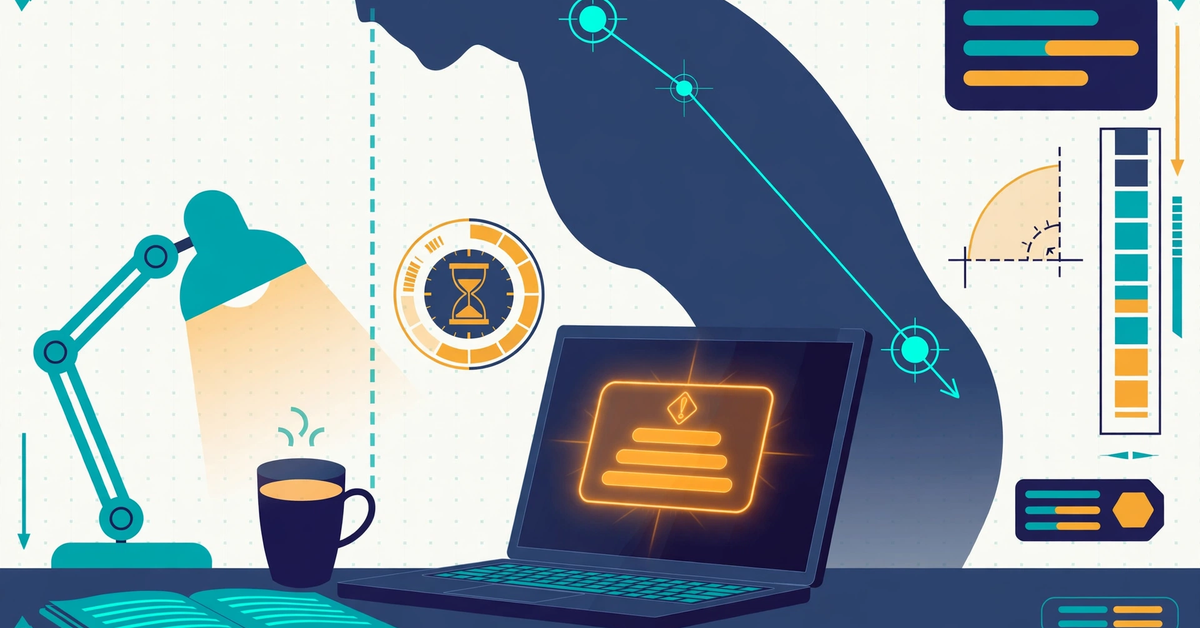
My laptop bullies me into sitting straight. No soft chime, no friendly reminder, no little animated spine telling me I am doing great. My screen goes dark, and one sentence appears in the middle of it: sit up, goblin. Then the screen comes back, and I sit up, because shame works better on me than ergonomics ever did.
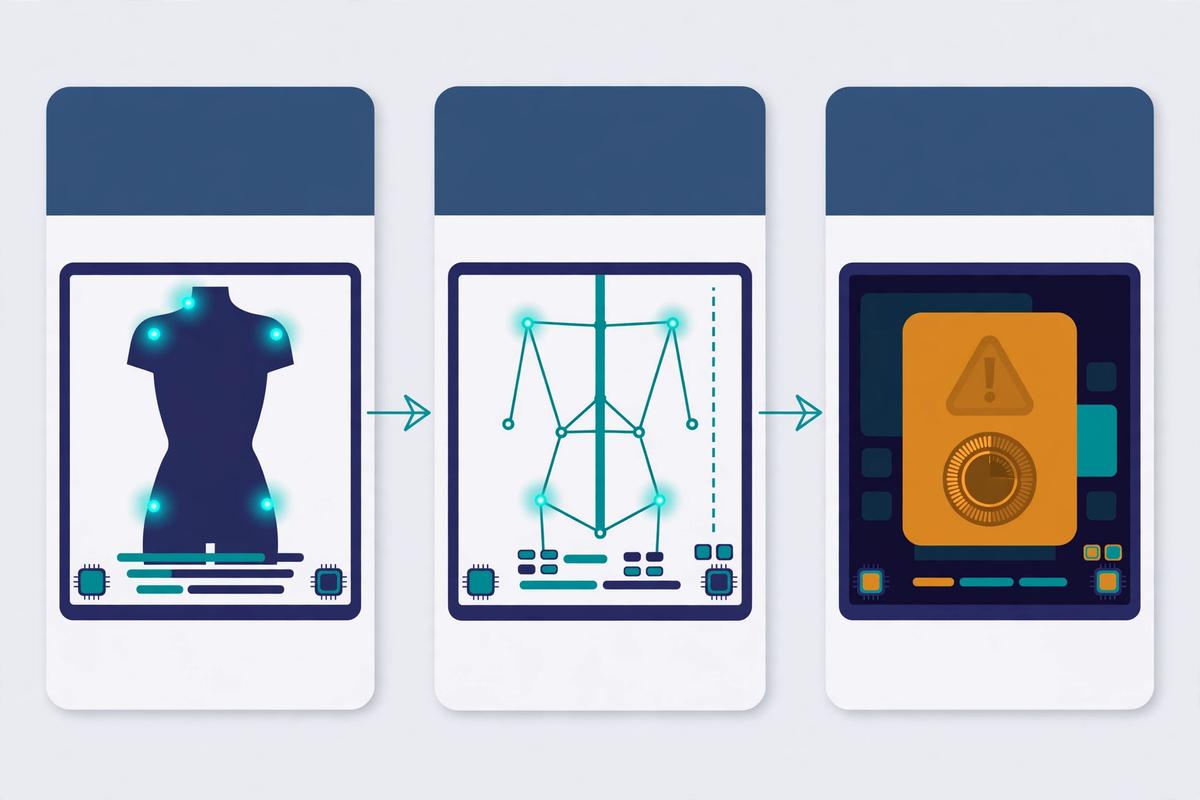
This is a posture detection mediapipe project. A webcam watches your shoulders. MediaPipe Pose figures out where your body is. A bit of maths works out how far you are leaning. If you stay leaned over for more than 10 seconds, your laptop takes revenge. It is a small project, it runs on your own machine, and it is the first piece of software I have built that is actively disappointed in me.
Why your chair is winning
I sit down with perfect posture. Back straight, shoulders back, chin level, a model citizen of sitting. I am proud of myself for about four minutes. Then something interesting happens on screen, my brain leaves my body behind, and I fold forward like a deckchair in a strong wind. My shoulders creep towards my ears, my head drifts forward, and my spine turns into a question mark. I do not notice any of it. The only signal I get is a sore neck hours later, which is a terrible feedback loop, because by then the only fix is standing up and making sad stretching noises in the kitchen.
The problem is not that I do not know good posture. The problem is that knowing something and doing it while you are thinking about something else are two different jobs. Willpower needs your attention, and your attention is busy. I needed something that would notice the slouch for me and make ignoring it more annoying than fixing it. That is why the nag is a screen dim and not a notification. Notifications are built to be ignored. A dimmed screen cannot be swiped away. It is rude, and that is the point.
What you need
A laptop with a webcam, Python 3.10 or newer, and about fifteen minutes. For the live version you need MediaPipe and OpenCV, both one pip install away, and a room with decent light. No sensors, no wearable, no chair with Bluetooth, no subscription. The webcam you already own is the sensor.
You need to be visible from roughly the waist up. The camera has to see your shoulders and your hips, because the whole trick is the line between those two points.
If you do not have a webcam handy, you do not need one. The project ships with a demo mode that runs on a built-in sample pose sequence, a CSV file with 120 frames covering 60.0 seconds. Demo mode needs nothing but Python itself. Every number in this article comes from that demo run on the built-in sample pose data, because these are sample numbers, not a medical study.
How it works
The webcam grabs a frame. MediaPipe Pose finds your body and returns landmarks, named points on your body: left shoulder, right shoulder, left hip, right hip, left ear, and so on. The code averages the two shoulders into one shoulder point, does the same for the two hips, and draws an imaginary line between them. That line is your torso. Then it measures the angle between that line and straight up. Sit upright and the line is nearly vertical, so the angle is small. Slouch and your shoulders drift forward, the line tilts, and the angle grows.
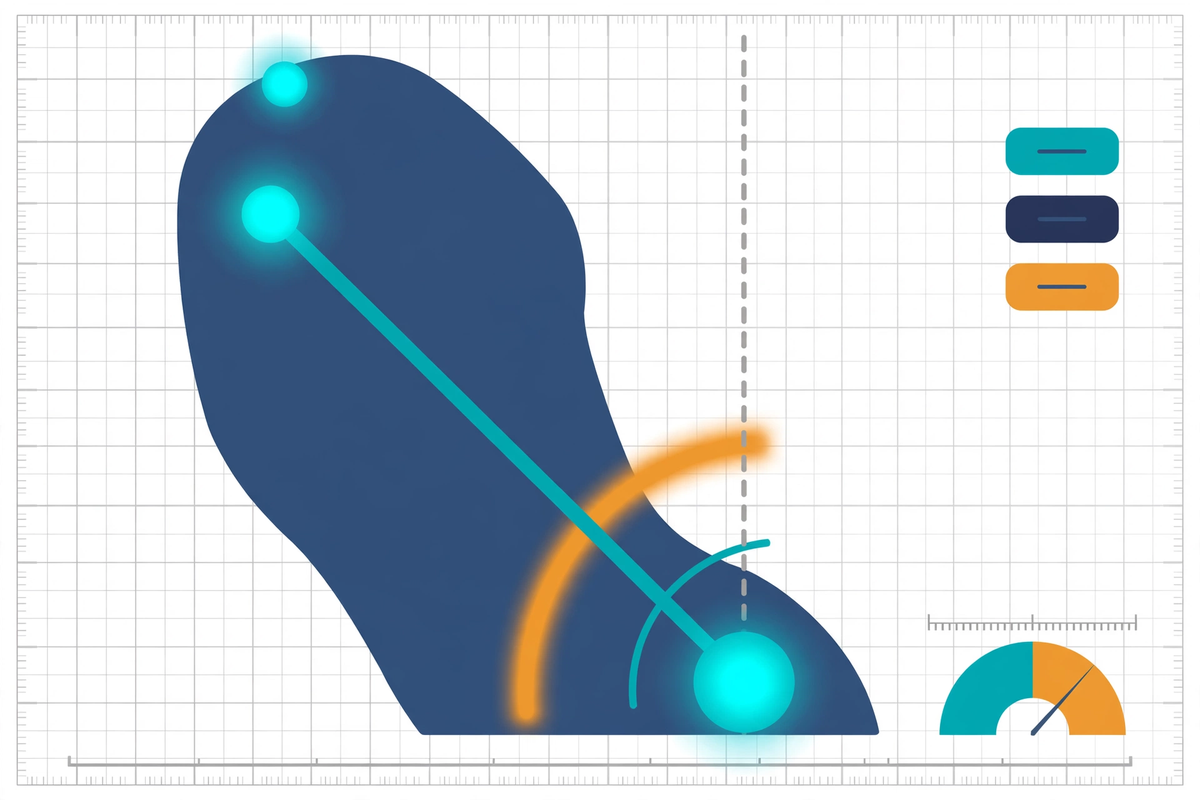
That angle goes into a classifier with one threshold: 20 degrees, set in config.py. At or above 20 degrees, you are slouching. Below it, you are upright. No probability score, no grey area. It is a ruler, not a referee.
The classifier feeds a timer. The timer starts the moment you cross the threshold and resets the moment you straighten up. If it reaches 10 seconds, the nag fires: the screen dims for 5 seconds and the message appears. The timer only fires once per slouch, so a long slouch does not turn into a strobe light of insults. You get one nag, you fix your posture, the timer resets, and everyone moves on.
In demo mode, the same code runs on the sample CSV instead of a webcam. Each row is one frame, and the detector treats it exactly like a frame from a camera.
The maths
There are two ideas here. The first is the slouch angle. Take your shoulder point and your hip point. The line between them is your torso. Imagine a perfectly vertical line going straight up from your hips. The slouch angle is the gap between your torso line and that vertical line. A small angle means you are sitting up. A big angle means you are folded forward.
The code works it out with atan2, which turns a sideways distance and a vertical distance into an angle. It takes the absolute value of the sideways drift, so leaning left and leaning right count the same.
Here is the worked example, using the real numbers from the demo run on the built-in sample pose data. The mean upright torso angle is 7.1 degrees. That is the baseline: sitting normally, shoulders more or less above hips. The mean slouch torso angle is 28.8 degrees. That is the slouched state: shoulders well forward of hips. The gap between those two means is 21.7 degrees, and the threshold of 20 degrees sits in the middle of it. That is not an accident. The threshold is above every upright frame in the sample — the highest upright angle is 8.7 degrees — and below every slouch frame — the lowest slouch angle is 25.0 degrees — so the classifier never has to guess.
The second idea is the 10-second rule. The timer does not care about one bad frame; you might be reaching for your coffee. It records the timestamp when the slouch starts, and on every new frame it subtracts that start time from the current time. If the answer is 10 seconds or more, the nag fires. Walk through the first slouch in the sample data. It starts at 10.0 seconds, with a mean torso angle of 28.5 degrees. At 15.0 seconds, the timer reads 5.0 seconds, so nothing happens. At 20.0 seconds, the timer reads exactly 10.0 seconds, so the nag fires. The slouch lasts 15.0 seconds in total, ending at 25.0 seconds, but the nag only fires once. The neck angle is tracked alongside the torso as a second opinion, but the demo classifies on the torso alone, because the torso is the more stable measurement.
Build it
The project is four Python files, a config file, a requirements file, a README, and a folder of sample data:
posture-nagger/
├── posture.py                  # angle maths, classifier, timer, nag
├── demo.py                     # replays the sample CSV, prints the summary
├── main.py                     # entry point: --demo or --webcam
├── config.py                   # threshold, nag delay, message
├── requirements.txt            # mediapipe, opencv-python, numpy
├── README.md                   # setup and tuning notes
└── sample_data/
    └── sample_poses.csv        # 120 frames, 0.0 to 59.5 seconds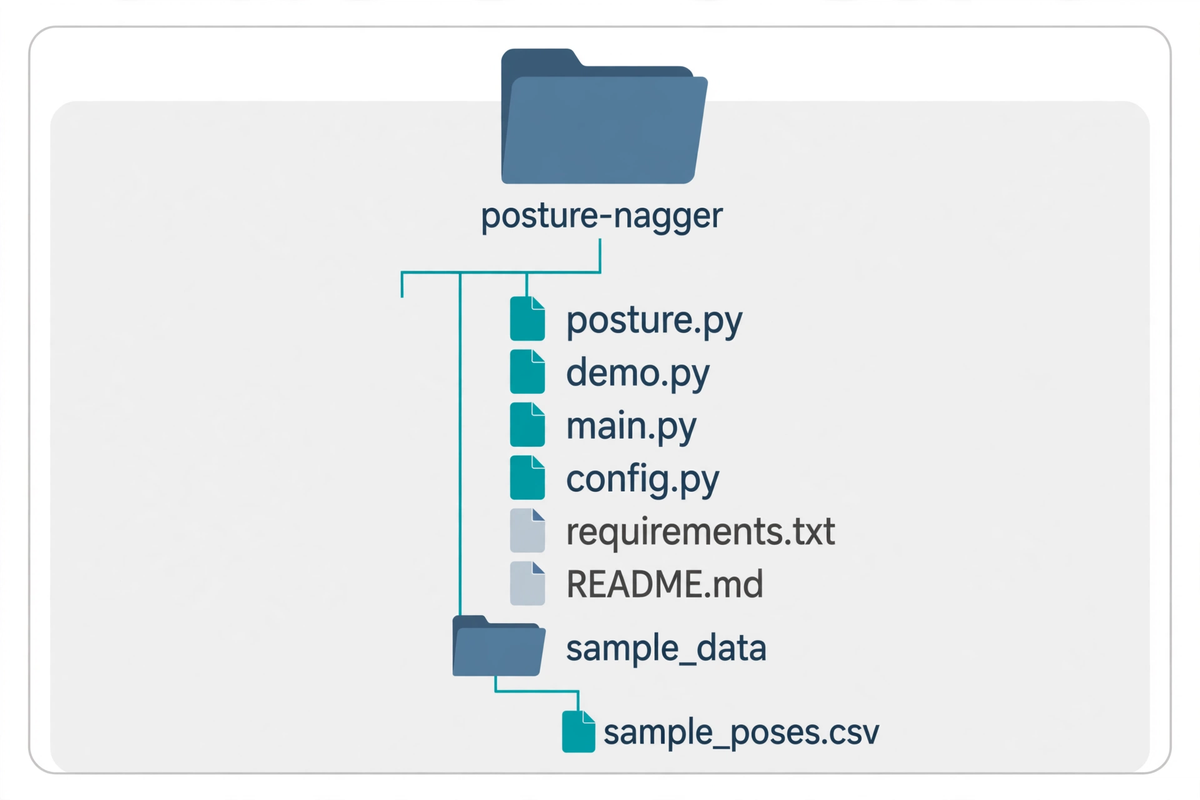
Step one is the config, because every number that matters lives in one place:
SLOUCH_ANGLE_DEG = 20.0
NAG_DELAY_S = 10.0
DIM_DURATION_S = 5.0
NAG_MESSAGE = "sit up, goblin"
Step two is the maths, in posture.py. This file has no webcam code and no MediaPipe code, so you can test it without a camera:
def torso_angle(shoulder_mid, hip_mid):
    dx = shoulder_mid[0] - hip_mid[0]
    dy = shoulder_mid[1] - hip_mid[1]
    return angle_from_vertical(dx, dy)

def is_slouching(torso_deg, threshold=SLOUCH_ANGLE_DEG):
    return torso_deg >= threshold
Step three is the timer, also in posture.py. Every frame, you call update with the current slouch state and timestamp. It returns True exactly once per slouch, at the moment the slouch has lasted the full nag delay:
timer = SlouchTimer(nag_delay_s=NAG_DELAY_S)
if timer.update(slouching, timestamp_s):
    nag_action(NAG_MESSAGE)
Step four is the demo, in demo.py. It reads the CSV, classifies every row, feeds the timer, and prints a summary. Durations come from multiplying the frame count by the time between frames, which is 0.5 seconds in this file. A frame count is not a duration until you multiply it by the time between frames.
Step five is the webcam loop, in main.py, the only file that knows MediaPipe exists. Run python3 main.py --webcam and it opens the camera, runs MediaPipe Pose on every frame, and calls the same torso_angle and SlouchTimer functions the demo uses. When the timer fires, it draws a dark overlay for 5 seconds and puts the message on screen. Press q to quit. The imports for OpenCV and MediaPipe live inside the webcam function, not at the top of the file, so the demo works on a machine with neither installed.
To run the demo, you need nothing but the folder and Python:
python3 demo.pyTo run the real thing, install the requirements first:
pip install -r requirements.txt
python3 main.py --webcam
If the webcam mode cannot open the camera, check that nothing else is using it. If MediaPipe cannot find you, sit further back, turn a light on, and make sure your shoulders and hips are both in frame.
Expected outcome
Here is what actually happened when I ran the demo on the built-in sample pose data: the output of python3 demo.py on the 120-frame, 60.0-second sample sequence in sample_data/sample_poses.csv. Every number in this section comes from that run, and from nowhere else.

The demo processed 120 frames at an interval of 0.5 seconds, covering 60.0 seconds. Out of that minute, the sample spends 25.0 seconds upright and 35.0 seconds slouched: 50 upright frames and 70 slouch frames. The mean upright torso angle is 7.1 degrees, and the mean slouch torso angle is 28.8 degrees. The smallest angle in the file is 5.6 degrees and the largest is 31.7 degrees, so the full range is 26.1 degrees from best posture to worst.
The timer found 3 slouch events. The first runs from 10.0 seconds to 25.0 seconds, lasts 15.0 seconds, and was nagged. Its mean torso angle is 28.5 degrees. The second runs from 35.0 seconds to 42.0 seconds, lasts 7.0 seconds, and was not nagged, because 7.0 seconds is less than the 10-second delay. Its mean torso angle is 26.1 degrees, still well above the 20-degree threshold, so the detector knew it was a slouch, it just did not last long enough to earn a nag. The third runs from 47.0 seconds to 60.0 seconds, lasts 13.0 seconds, and was nagged. Its mean torso angle is 30.5 degrees, the worst of the three.
In total, the demo fired 2 nags: the first at 20.0 seconds, exactly 10 seconds after the first slouch started, and the second at 57.0 seconds, exactly 10 seconds after the third slouch started. The 7.0-second slouch in the middle fired nothing, which is the timer working correctly: short slouches get a free pass, long ones do not. If your copy prints 120 frames, 60.0 seconds, 3 events, and 2 nags at 20.0 seconds and 57.0 seconds, your copy works. These numbers are from the sample data, not from a real person at a real desk. The demo is a test harness, not a health claim.
What broke
Two things broke while building this. The first was my own fault. The first version of the sample data had slouching from 35.0 seconds straight through to 60.0 seconds, with no upright gap in the middle. I meant to write three slouch events, but I actually wrote two, because the second and third slouches were touching and the timer correctly treated them as one continuous slouch. The first demo run reported 2 slouch events instead of 3, the second event lasted 25.0 seconds instead of 7.0 and 13.0 seconds, and the second nag fired at 45.0 seconds instead of 57.0 seconds. The code was right and the data was wrong. The fix was a 5.0-second upright break in the sample, from 42.0 seconds to 47.0 seconds, so the 7.0-second and 13.0-second slouches are separate events again. After that fix, the demo reported 3 events and 2 nags at 20.0 seconds and 57.0 seconds.
The second failure was duller but more useful. The machine I built this on does not have MediaPipe installed, and the first version of main.py imported it at the top of the file. So python3 main.py --demo crashed with ModuleNotFoundError: No module named 'mediapipe', even though demo mode never uses MediaPipe at all. The fix was to move the cv2 and mediapipe imports inside the webcam function, so they only run when you ask for --webcam. Demo mode now runs on the standard library alone.
Download the full project
The full project is in the download below: the detector, the timer, the demo, the webcam loop, the config, the requirements, the README, and the 120-frame sample pose sequence the demo runs on. Run python3 demo.py first and check that you get 120 frames, 60.0 seconds, 3 slouch events and 2 nags, then run python3 main.py --webcam and let your own laptop start judging you.
Premium Download
Get the complete project code