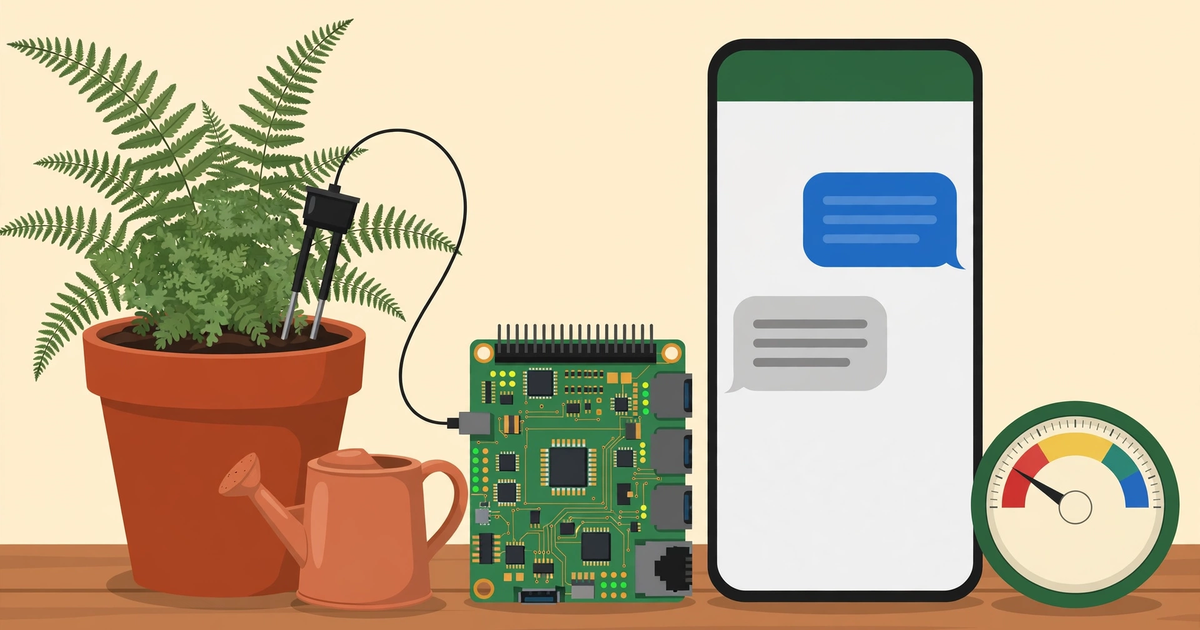
My plant texted me. It was thirsty.
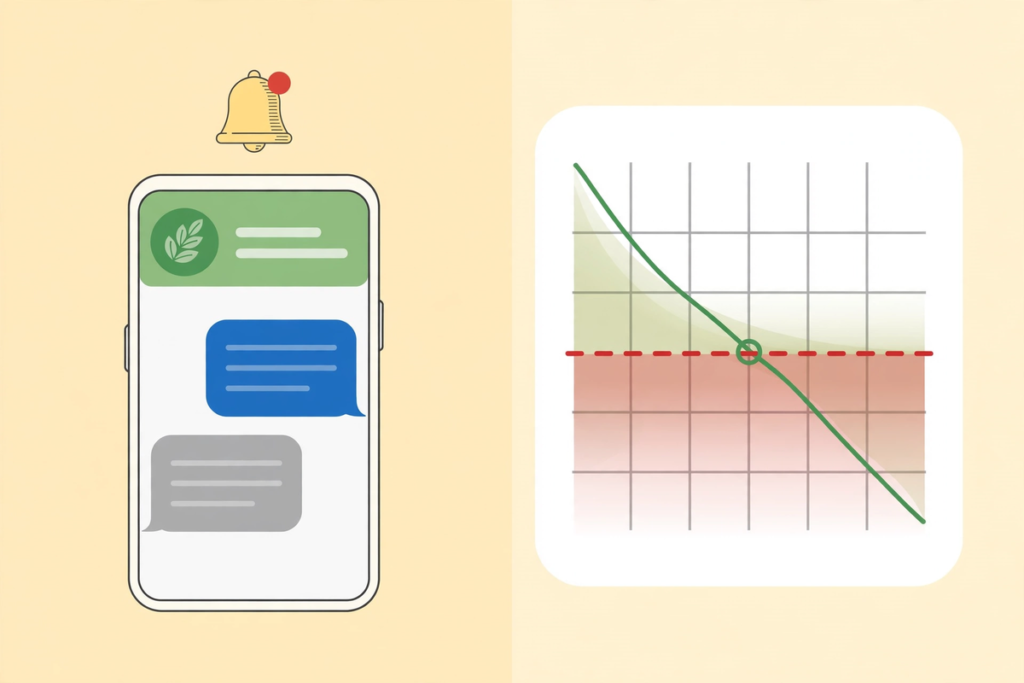
Not in a metaphorical way. My fern — Fernando, obviously — sent me an actual Telegram message at 4:30 in the afternoon: “I’m thirsty! Soil moisture is 29.5%. Water me please.” I watered him. He has not texted me since.
The whole thing is a Raspberry Pi, a £3 sensor stuck in a pot, and about 150 lines of Python. It takes an afternoon to build, it runs on any laptop in demo mode first, and it solves the single dumbest problem in home gardening: plants die quietly.
Why plants die quietly
A plant has exactly one way to tell you it needs water, and that way is dying. There is no warning light. The leaves droop a little, you think “huh, he looks tired,” and by Friday you’re holding a pot of brown sticks.
The standard fixes are all bad. Watering on a schedule fails because plants don’t drink on a schedule. Those little glass watering globes are decorative lies. And the “stick your finger in the soil” method works right up until you forget, which is the entire problem.
What you actually want is a plant that complains. Loudly. On a device you already look at 400 times a day.
What you need
- A Raspberry Pi (any model with Wi-Fi — a Pi Zero W works fine) and a power supply
- A capacitive soil-moisture sensor — about £3. Capacitive, not resistive. This matters and I’ll explain why in a minute
- An ADS1115 analogue-to-digital converter breakout — about £3. The Pi has no analogue inputs, so this little board reads the sensor for it
- Jumper wires, a plant, a pot, and some soil
Total hardware cost: under £10 if you already own a Pi, under £40 if you don’t. No soldering required if you buy the sensor and ADS1115 with pre-soldered headers.
How it works
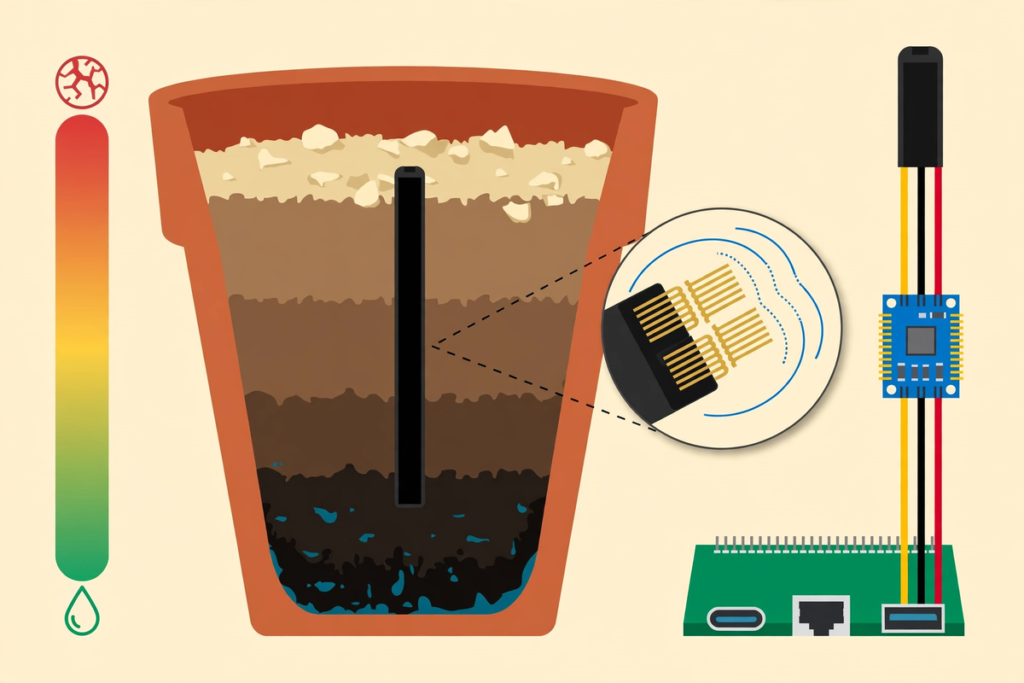
The sensor sits in the soil and measures how wet it is by capacitance: dry soil and wet soil store electric charge differently, and the sensor turns that difference into a voltage. The ADS1115 turns the voltage into a number. The Pi turns the number into a percentage. When the percentage drops below 30%, the Pi sends a Telegram message.
The clever part — and I use “clever” generously, because it’s about twenty lines — is the part that stops the plant from texting you 48 times a day. Two rules do that. First, hysteresis: the alert fires when moisture drops below 30%, but it only resets when moisture climbs back above 40%. That 10-point gap is a dead zone, so a reading wobbling between 29.8% and 30.2% can’t trigger a text, cancel it, and trigger it again. Second, a cooldown: even if the soil stays dry, the plant waits 6 hours before texting again.
The maths
Here is the only maths in the project, and it is three lines of arithmetic.
The sensor gives you a raw number from a 12-bit converter, so the range is 0 to 4095. But raw numbers are useless to humans — nobody knows what “raw 1760” means. So you calibrate it with two measurements anyone can do in two minutes: hold the sensor in dry air and write down the number, then stick it in a glass of water and write down that number. Mine read 1200 in dry air and 3100 in water. Yours will be slightly different, and that is fine — calibration is the entire point.
moisture % = (raw − 1200) ÷ (3100 − 1200) × 100Take the first reading from the demo run: raw 2368. (2368 − 1200) = 1168. Divide by (3100 − 1200) = 1900. That’s 0.615, times 100 gives 61.5% moisture. The soil is nicely wet. Nobody texts anybody.
Now the reading that fired the alert: raw 1760. (1760 − 1200) = 560. 560 ÷ 1900 = 0.295, times 100 gives 29.5% — below the 30% dry threshold, so the phone buzzes. That is the whole calculation. A calculator from 1987 could do it, and the Pi does it every 30 minutes without breaking a sweat.
The second number worth knowing is the drying rate — how fast the soil loses water. The demo data starts at 61.5% at 06:00 and ends at 27.0% at 17:30. That’s a drop of 34.5 percentage points over 11.5 hours:
drying rate = (61.5 − 27.0) ÷ 11.5 = 3.00 percentage points per hourThree points an hour. That one number tells you almost everything about your plant’s day. It tells you when the alert will fire before it fires: from 61.5% at 06:00, the plant needs to lose 31.5 points to hit 30%, and at 3 points an hour that takes 10.5 hours — 06:00 plus 10.5 hours is 16:30, exactly when the alert went off. And it tells you how long you have after the text: at 3 points an hour, the soil has roughly another 9 hours before it hits zero, so an evening watering is fine.
One warning about that 3.00 figure: it comes from the sample data in this project, a warm day with a thirsty fern in a small pot. Your plant, your pot, your weather — your number will be different. Run the demo, then run it on your own plant for a day, and you’ll know your number.
Build it
Step 1: Run the demo on your laptop
Before touching a wire, prove the software works:
python3 main.pyNo dependencies, no token, no Pi. The demo replays 24 sample readings from sample_data/moisture_readings.csv — one every 30 minutes from 06:00 to 17:30 — and prints the Telegram message instead of sending it.
Step 2: Wire the sensor
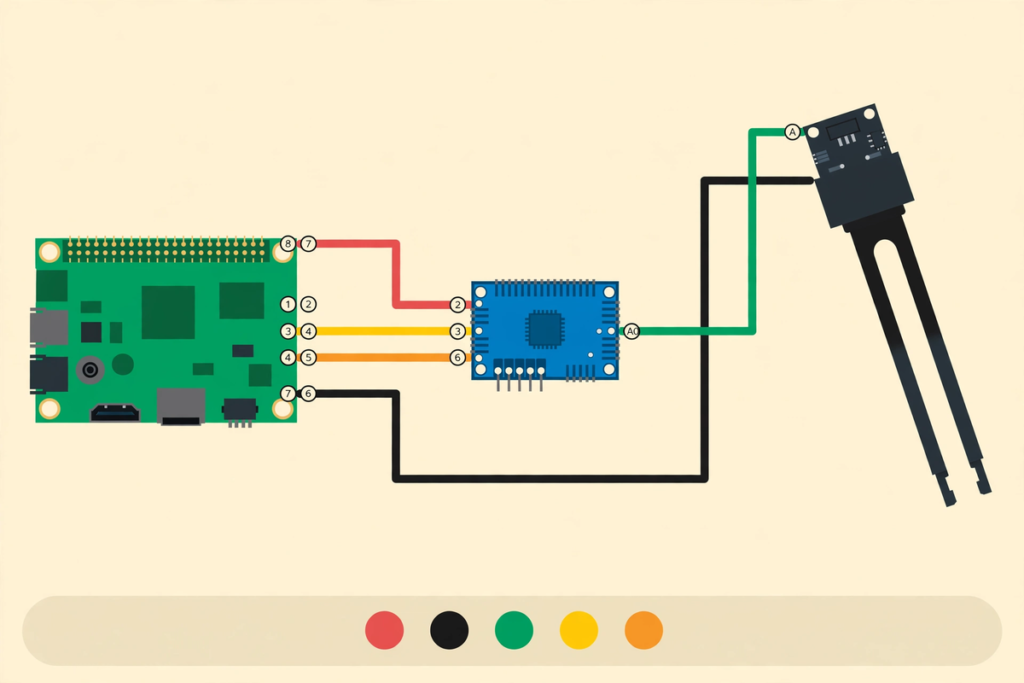
Three wires. Sensor VCC goes to 3V3, sensor GND goes to GND, and the sensor’s analogue output goes to A0 on the ADS1115. The ADS1115 connects over I2C: SDA to GPIO 2 (physical pin 3) and SCL to GPIO 3 (physical pin 5).
Now the sensor warning I promised. Buy the capacitive sensor, the one that looks like a little flat circuit board with no exposed metal prongs. Do not buy the cheap resistive fork with two bare metal prongs. The resistive one runs current through the soil, so the prongs corrode, the readings drift, and within a few weeks it is confidently reporting nonsense. The capacitive sensor never passes current through the soil, so it lasts years. It costs about a pound more. Spend the pound.
Step 3: Make the Telegram bot
Open Telegram, message @BotFather, and send /newbot. Answer its questions and it hands you a token, a long string of letters and numbers. That token is your bot’s password: keep it in config.py and nowhere public.
Then start a chat with your new bot and send it any message. To find your chat ID, open this URL in a browser with your token filled in:
https://api.telegram.org/bot<YOUR_TOKEN>/getUpdatesLook for "chat":{"id": ...} in the result. Put the token and the chat ID into config.py, and you are done.
Step 4: Calibrate
Hold the sensor in the air, take a reading, write down the raw number — that is DRY_RAW. Put it in a glass of water, write down that number — that is WET_RAW. Put both in config.py. The defaults, 1200 and 3100, are from my sensor; yours will differ, and using mine would make your percentages wrong.
Step 5: The code
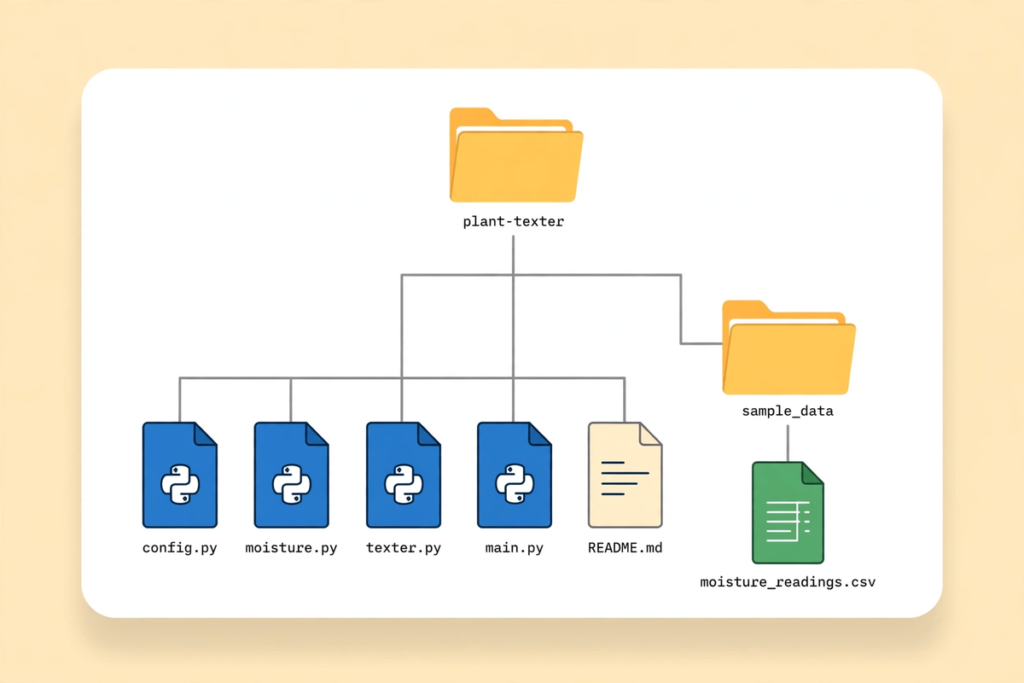
Four small Python files, each with one job. config.py holds every number you might want to change: the plant’s name, the thresholds, the check interval, the cooldown, and the calibration values. moisture.py reads the sensor and converts raw numbers to percentages. texter.py sends the Telegram message — or prints it, when no token is configured. main.py ties it together.
The heart of it is the calibration function in moisture.py:
def raw_to_percentage(raw: int) -> float:
    """Convert a raw ADC reading to a moisture percentage (0-100)."""
    if raw <= DRY_RAW:
        return 0.0
    if raw >= WET_RAW:
        return 100.0
    return (raw - DRY_RAW) / (WET_RAW - DRY_RAW) * 100.0
That is the formula from the maths section, with two safety rails: readings outside the calibrated range clamp to 0% or 100%, instead of producing nonsense like −4% or 112%.
The alert logic in main.py is a tiny state machine — the plant is either “alerted” or it isn’t. Dry and not alerted: send the text, remember you sent it. Dry and already alerted: stay quiet unless 6 hours have passed. Wet again after an alert: send a thank-you text and reset. Readings in the 30–40% dead band do nothing at all.
if state == "dry" and not alerted:
    send_message(build_thirsty_message(pct))
    alerted = True
    last_alert_time = timestamp
elif state == "dry" and alerted:
    if (timestamp - last_alert_time).total_seconds() >= COOLDOWN_SECONDS:
        send_message(build_thirsty_message(pct))
        last_alert_time = timestamp
elif state == "ok" and alerted:
    send_message(build_happy_message(pct))
    alerted = False
The message itself, from texter.py:
def build_thirsty_message(percentage: float) -> str:
    return (
        f"I'm thirsty! Soil moisture is {percentage:.1f}% "
        f"(dry threshold: 30%). Water me please."
    )
Short, specific, and actionable. It says what is wrong, how bad it is, and what to do about it.
Step 6: Run it on the Pi
Install the ADC libraries, then start the live loop:
pip install -r requirements.txt
python3 main.py live
For a plant you actually care about, run it as a service so it survives reboots — a one-line systemd unit or a @reboot cron entry both work. Then forget about it. That is the point.
Expected outcome
Here is what the demo actually printed, running on a laptop with no sensor attached, using the 24 sample readings in the project:
Plant texter demo — Fernando the Fern
Dry threshold: 30% | Wet threshold: 40% | Cooldown: 6h
Readings: 24 over 11.5 hours
------------------------------------------------------------
06:00  raw=2368  moisture= 61.5%  ok
06:30  raw=2342  moisture= 60.1%  ok
07:00  raw=2310  moisture= 58.4%  ok
07:30  raw=2287  moisture= 57.2%  ok
08:00  raw=2256  moisture= 55.6%  ok
08:30  raw=2226  moisture= 54.0%  ok
09:00  raw=2194  moisture= 52.3%  ok
09:30  raw=2167  moisture= 50.9%  ok
10:00  raw=2135  moisture= 49.2%  ok
10:30  raw=2108  moisture= 47.8%  ok
11:00  raw=2076  moisture= 46.1%  ok
11:30  raw=2047  moisture= 44.6%  ok
12:00  raw=2017  moisture= 43.0%  ok
12:30  raw=1988  moisture= 41.5%  ok
13:00  raw=1964  moisture= 40.2%  ok
13:30  raw=1933  moisture= 38.6%  getting dry
14:00  raw=1905  moisture= 37.1%  getting dry
14:30  raw=1873  moisture= 35.4%  getting dry
15:00  raw=1844  moisture= 33.9%  getting dry
15:30  raw=1816  moisture= 32.4%  getting dry
16:00  raw=1785  moisture= 30.8%  getting dry
[DEMO TELEGRAM] Fernando the Fern: I'm thirsty! Soil moisture is 29.5% (dry threshold: 30%). Water me please.
16:30  raw=1760  moisture= 29.5%  dry
17:00  raw=1738  moisture= 28.3%  dry
17:30  raw=1713  moisture= 27.0%  dry
------------------------------------------------------------
SUMMARY
  Readings processed: 24
  First reading: 61.5% at 06:00
  Last reading:  27.0% at 17:30
  Lowest reading: 27.0%
  Drying rate: 3.00 percentage points per hour
  Alerts sent: 1
    - 16:30 at 29.5% moisture
Read it as a story. The soil starts the day at 61.5% after a watering the night before, and dries steadily, about 3 points an hour. At 13:00 it crosses 40% and enters the “getting dry” band — six readings, 13:30 to 16:00, where the system watches and says nothing. At 16:30 it hits 29.5% and the phone buzzes exactly once. The 17:00 reading (28.3%) and the 17:30 reading (27.0%) are still dry, and the plant stays silent both times, because the 6-hour cooldown is doing its job. One text. Not two, not twenty-four. One.
On the real Pi, that same line appears as a Telegram message on your phone instead of a printed line in a terminal.
What broke
The first thing that broke was not the sensor or Telegram. It was a file path.
The demo loads its sample readings from sample_data/moisture_readings.csv, written as a relative path. Run it from the project folder and it works perfectly. Run it from anywhere else — say, from /tmp — and Python dies with FileNotFoundError: [Errno 2] No such file or directory: 'sample_data/moisture_readings.csv'. The code was fine. The data was fine. The current working directory was the problem, and the error message doesn’t tell you that.
The fix is one of those boring, correct fixes that should have been there from the start: resolve the path against the script’s own location instead of the current working directory. config.py now builds the path from __file__, so the demo works no matter where you run it from. I verified it by running the demo from /tmp — same output, same 24 readings, same single alert at 16:30.
One more honest note: every number in this article — the 61.5%, the 27.0%, the 3.00 points per hour, the single alert at 16:30 — comes from the built-in sample data, a warm day with a thirsty fern in a small pot. It is real data from a real run of this code, but it is one day, one plant, one pot. Your numbers will differ.
Download the full project
Everything in this article — all four Python files, the sample readings, the wiring notes, and the Telegram setup — is in one zip. Download it, run python3 main.py, watch your imaginary plant get thirsty at 16:30, then wire up the real thing and give your actual plant a voice.
Premium Download
Get the complete project code