My notes finally answer back. I asked a folder of Markdown files what I decided about Project Atlas pricing, and it answered — with the price and the file it came from. No searching, no scrolling, no six open tabs.
This is a personal knowledge base rag python project: RAG, a fancy way of saying “look in my notes first, then answer from what you found.” You write notes like a normal human, ask questions like a normal human, and the machine does the finding. It runs on your laptop with no API key, and the demo uses 6 sample notes with 606 words, so you can check every number yourself.
Why normal search fails
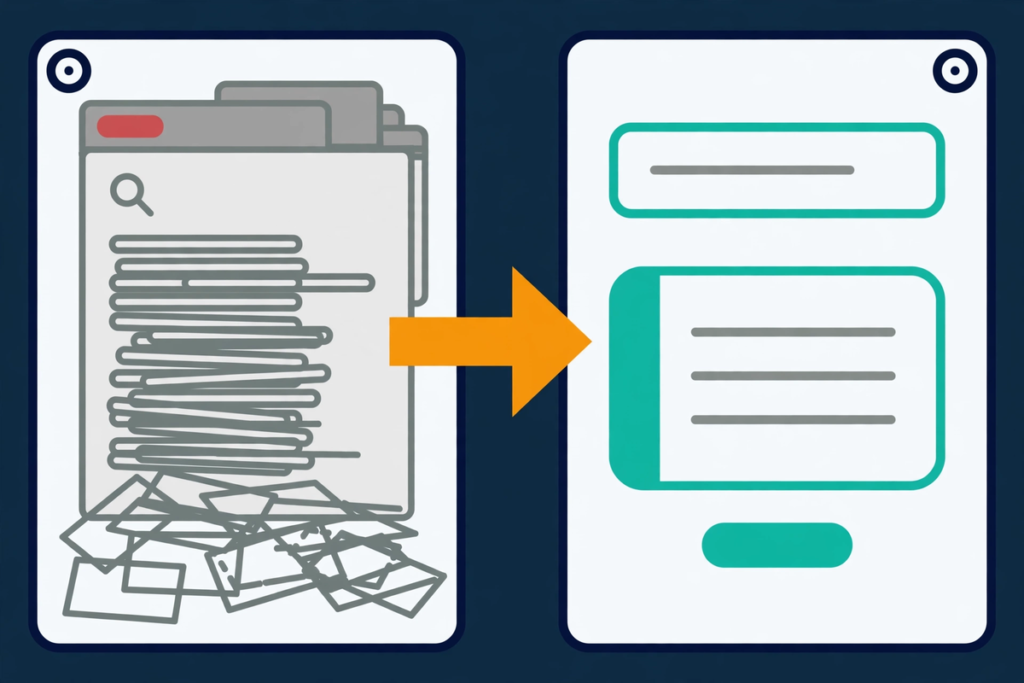
Ctrl+F is a lie. It finds letters, not meaning. Search for “pricing” and you get every note containing the word, including the one where “pricing page” was a to-do and no decision was ever made.
Worse, you do not remember what you called the thing. Was it “Project Atlas” or “Atlas” or “the app”? Was the decision in a meeting note or a bullet point in a file called misc.md? Normal search needs you to remember the exact words. A second brain should not: ask “what did I decide about pricing?” and get the decision, even if the note says “we settled on $12” and never uses the word “decided.”
That is what this project does. It reads your notes, turns them into numbers, and finds the chunks pointing in the same direction as your question. Then it shows the answer with the filename attached, so you can check it. Trust, but verify — mostly verify.
What you need
Not much. Python 3.10 or newer, a folder of Markdown notes, and about ten minutes. Demo mode needs zero installs and zero accounts, because I got tired of tutorials that start with “first, create seven accounts.” The real stack — all-MiniLM-L6-v2, Chroma, Gemini, Streamlit — is optional. The demo needs none of it.
The stack in the headline is the real stack: all-MiniLM-L6-v2 for embeddings, Chroma for storage, Gemini for answers, Streamlit for the interface. But the code ships with a built-in TF-IDF fallback that uses only the Python standard library. No API key, no downloads, no network. If the fancy libraries are missing, it quietly uses the fallback and tells you so. Every demo number here comes from that fallback on the 6 sample notes — stated plainly, because demo numbers dressed up as production benchmarks are how people get misled
How it works
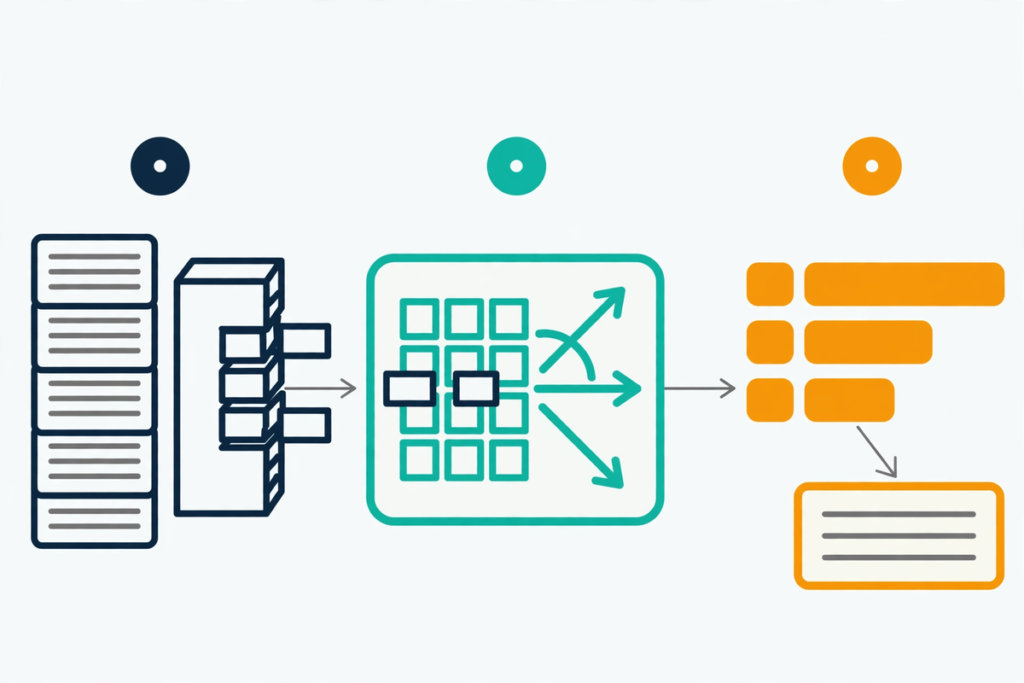
Three steps.
Step 1: Ingest. ingest.py reads every .md file and chops each note into chunks. The sample notes are short — 93 to 119 words each — so each note becomes exactly 1 chunk: 6 notes, 6 chunks, 606 words. Longer notes split into overlapping 120-word chunks with a 20-word overlap, so a decision on a boundary does not get cut in half.
Step 2: Embed. Each chunk becomes a list of numbers — a vector — capturing which words it contains and how unusual they are. “The” appears everywhere, so it tells you nothing. “Atlas” appears in two notes, so it tells you a lot. That weighting is called TF-IDF, and the maths section explains it with real numbers from the demo.
Step 3: Ask. ask.py turns your question into a vector the same way, compares it against every chunk, and returns the top 3. In demo mode the answer is built from the best sentences in those chunks, each stamped with its source file. In real mode, Gemini gets the same top 3 chunks and writes a fluent answer from them — and only from them. It never invents facts, because its memory is not your notes, and your notes are the whole point.
The folder looks like this:
second-brain/
├── config.py          # paths, chunk size, top-k, model names
├── ingest.py          # read notes, chunk, embed, save index.json
├── ask.py             # retrieve top-k, answer with citations
├── app.py             # Streamlit UI (safe without Streamlit)
├── requirements.txt   # real-mode libraries only
├── README.md          # setup, demo run, real-mode notes
└── sample_data/       # 6 Markdown notes
    ├── 2026-11-10-project-atlas.md
    ├── 2026-11-12-meeting-notes.md
    ├── 2026-11-14-blog-strategy.md
    ├── 2026-11-15-home-renovation.md
    ├── 2026-11-18-reading-ai-agents.md
    └── 2026-11-20-gym-and-health.md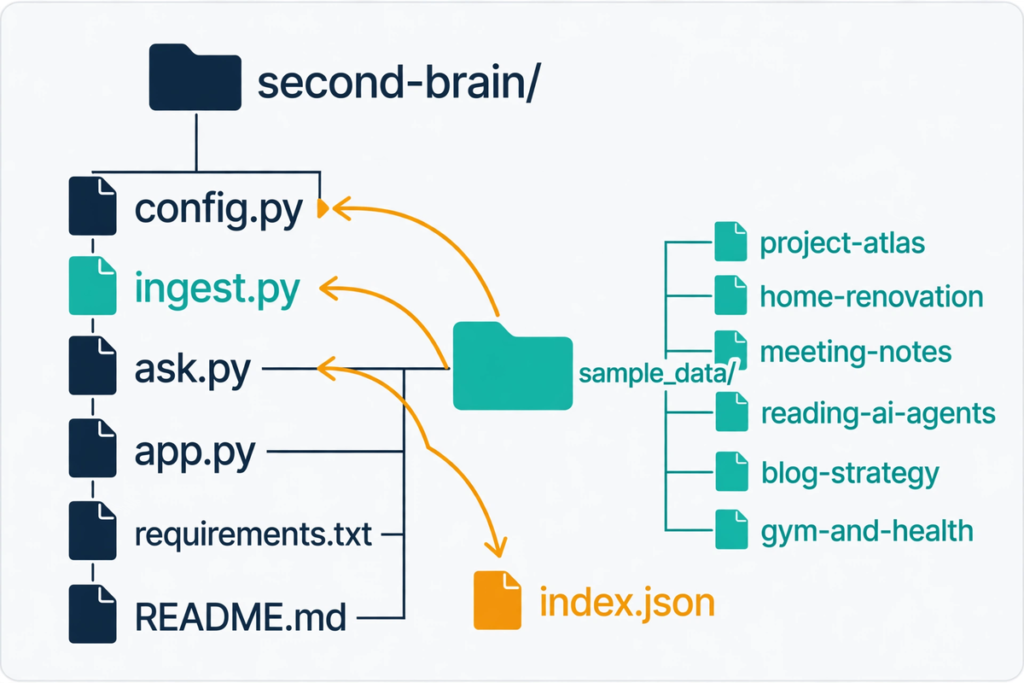
The sample notes are deliberately ordinary: a launch decision, meeting notes, a blog strategy, a kitchen renovation budget of $8,500, reading notes, and a gym plan.
The maths
A computer cannot compare meanings, but it can compare lists of numbers. So we turn text into a list of numbers, then compare the lists.
TF-IDF in one sentence: a word scores high if it appears a lot in this chunk but rarely in the others.
Take “kitchen”: 3 times in the renovation note, nowhere else — a brilliant clue. Take “decided”: in almost every note, because every note is full of decisions — a terrible clue. TF-IDF does this arithmetic for all 306 words in the demo vocabulary, and each chunk becomes a list of 306 numbers.
Cosine similarity in one sentence: draw two lists of numbers as arrows and measure the angle between them. Same direction is 1. Totally unrelated is 0.
Now the worked example, with real demo numbers. I asked: “when does the kitchen renovation start?”
| Chunk | Cosine similarity |
|---|---|
| 2026-11-15-home-renovation.md | 0.4687 |
| 2026-11-10-project-atlas.md | 0.0467 |
| 2026-11-14-blog-strategy.md | 0.0396 |
The renovation note scored 0.4687, the next best 0.0467 — 10.04 times lower. The right note wins by a factor of ten because it shares “kitchen” and “renovation” with the question. A score of 0.4687 is not close to 1, and that is normal: the question is 6 words long and the chunk is 96 words long, so most of the chunk points elsewhere. What matters is the gap, not the absolute number.
Compare the pricing question: “what did I decide about Project Atlas pricing?” Top score 0.1593, second 0.1209, third 0.1193 — a gap of only 0.04. “Atlas,” “pricing,” and “decided” are smeared across three notes that all talk about Atlas and pricing. The retriever still ranked the meeting note first, and it was right — but when three notes talk about the same thing, scores bunch up. That is why the answer shows its sources: you can see it picked the right file, and if it had not, you would know immediately.
Top-k is just how many chunks you ask for; the default is 3. Ask for 1 and you get the single best chunk. Ask for 5 and you get more context, plus more noise. Three is the boring middle, and boring middles are usually right.
Build it
Step 1: Get the project. Download the zip at the end of this article and unzip it. You need config.py, ingest.py, ask.py, app.py, and sample_data/. Nothing else is required for the demo.
Step 2: Ingest the sample notes. This reads the 6 notes, chunks and embeds them with the TF-IDF fallback, and saves the index:
python3 ingest.pyYou should see exactly this:
Notes read: 6
Chunks created: 6
Total chunk words: 606
Embedding model: built-in TF-IDF fallback (demo, offline)
Vocabulary size: 306
Index saved: index.json
Six notes became 6 chunks because every note is under the 120-word chunk limit. The vocabulary is 306 unique words, and the index is a single JSON file of 31,519 bytes.
Step 3: Ask it something. This is the whole payoff:
python3 ask.py "what did I decide about Project Atlas pricing?"Step 4: Use your own notes. Point ingest at your folder and ask away:
python3 ingest.py --notes my_notes --out my_index.json
python3 ask.py --index my_index.json "what did I decide about X?"
Step 5: Switch on the real stack. Install the requirements, set two environment variables, and re-run the same two commands:
pip install -r requirements.txt
export USE_REAL_EMBEDDINGS=1
export GEMINI_API_KEY="your-key"
python3 ingest.py
python3 ask.py "what did I decide about X?"
Then the web UI, if you want it: streamlit run app.py.
Here is the core of the ingestion code:
def ingest(notes_dir=config.NOTES_DIR, out_path=config.INDEX_PATH):
    notes = read_notes(notes_dir)
    chunks = []
    for note in notes:
        chunks.extend(chunk_note(note["source"], note["text"]))

    model = real_embedder() if config.USE_REAL else None
    if model is not None:  # real mode: all-MiniLM-L6-v2
        vectors = model.encode([c["text"] for c in chunks],
                               normalize_embeddings=True).tolist()
    else:  # demo mode: built-in TF-IDF fallback
        vocab, idf = build_tfidf(chunks)
        vocab_index = {t: i for i, t in enumerate(vocab)}
        vectors = [embed_tfidf(c["text"], vocab_index, idf) for c in chunks]
And here is retrieval in ask.py — the entire search engine is a cosine similarity loop:
def retrieve(query, index, top_k=config.TOP_K):
    qvec = embed_query(query, index)
    scored = []
    for chunk, vec in zip(index["chunks"], index["vectors"]):
        scored.append((cosine(qvec, vec), chunk))
    scored.sort(key=lambda item: item[0], reverse=True)
    return scored[:top_k]
That is it. No database, no server, no framework. Six notes, one loop, sorted by a number.
The settings live in config.py: embedding model all-MiniLM-L6-v2, Gemini model gemini-2.0-flash, 120-word chunks with a 20-word overlap, top-k of 3. Chunk size is the one worth thinking about. Too small and a decision gets split across chunks. Too big and each chunk holds five topics, so the score gets watered down. Long essays: try 200. One-line bullets: try 60.
Expected outcome
This is the actual demo output, copied from the terminal. Every number below is from the 6 sample notes and the TF-IDF fallback — demo numbers, not production benchmarks.
Question 1 — “what did I decide about Project Atlas pricing?”
Answer: Topic: Atlas pricing and support [2026-11-12-meeting-notes.md] We confirmed the Pro price of $12 per month. [2026-11-12-meeting-notes.md] We decided to publish 3 articles per week: Monday, Wednesday, and Friday. [2026-11-14-blog-strategy.md] We decided to launch Project Atlas on 2026-12-01 with a free tier limited to 3 workspaces and a Pro tier at $12 per month. [2026-11-10-project-atlas.md]
Sources: 2026-11-12-meeting-notes.md (0.1593), 2026-11-14-blog-strategy.md (0.1209), 2026-11-10-project-atlas.md (0.1193)
The answer is 54 words long, and the key facts are all there: Pro is $12 per month, the free tier is limited to 3 workspaces, launch is 2026-12-01. The middle sentence about publishing 3 articles a week is a stowaway — the blog note genuinely matched on “decided,” and demo mode quotes what it retrieved instead of hiding it.
Question 2 — “when does the kitchen renovation start?”
Answer: We decided on a kitchen renovation budget of $8,500. [2026-11-15-home-renovation.md] Work starts 2027-01-12 and should take 3 weeks. [2026-11-15-home-renovation.md]
Sources: 2026-11-15-home-renovation.md (0.4687), 2026-11-10-project-atlas.md (0.0467), 2026-11-14-blog-strategy.md (0.0396)
A 19-word answer quoting a single note. The renovation note beat the runner-up by 10.04 times: one note, one fact, one date.
Question 3 — “how many times per week do I train?”
Answer: We decided to train 3 times per week: Monday, Wednesday, and Friday mornings at 07:00. [2026-11-20-gym-and-health.md] Sessions are 45 minutes. [2026-11-20-gym-and-health.md] We decided to publish 3 articles per week: Monday, Wednesday, and Friday. [2026-11-14-blog-strategy.md]
Sources: 2026-11-20-gym-and-health.md (0.1689), 2026-11-14-blog-strategy.md (0.0441), 2026-11-10-project-atlas.md (0.0385)
A 34-word answer with the right training schedule, plus the same blog-note stowaway: “3 articles per week” and “3 times per week” look alike to a machine that counts words. The embedding model in real mode understands meaning, not just spelling — TF-IDF gets you a working second brain today, and all-MiniLM-L6-v2 gets you one that stops confusing your gym with your blog.
The whole demo runs in under a second per question after ingest, on a plain laptop, with no network. Your notes live on your machine, and asking them a question should not require a data centre.
What broke
Two real failures, both found by running the demo instead of assuming it worked.
Failure 1: the chunker destroyed the notes. The first version of chunk_note split each note into words and joined them back with spaces. That erased every line break, so a heading like ## Pricing fused with the sentence after it, and the answer extractor produced fragments — including a lone “com” torn out of the middle of a word. The fix slices the original text using word positions instead of re-joining words. Lesson: never rebuild text you could have kept.
Failure 2: the sentence picker could not tell “price” from “pricing.” The first matcher required the shorter word to be a prefix of the longer one. “Pricing” starts with “pric,” not “price” — the letter after “pric” is “i” in one word and “e” in the other. So “We confirmed the Pro price of $12 per month” scored zero against a question about pricing, and the answer quoted the support-hours sentence instead. The fix matches on a shared prefix of 4 or more letters, plus a small stopword list so “the” stops inflating every score. Lesson: test with real questions, not questions designed to pass.
The sentence splitter also cut “$115.20” in two at the decimal point; the fix protects digit-dot-digit sequences before splitting.
Download the full project
The full project — code, 6 sample notes, README, and setup instructions — is in the zip below. Unzip it, run python3 ingest.py, and ask it something. Then point it at your own notes, because a second brain full of someone else’s decisions is just a pub quiz.
Premium Download
Get the complete project code
Once it answers one question you had forgotten, you will never go back to Ctrl+F. Ask your notes something worth answering.