
Time to build: 3 hours. Cost: $0 — Gemini Flash free tier, Gmail and Calendar free, Telegram free, GitHub Actions free. What you get: 5 lines on Telegram at 7am, every morning.

What it does
It reads your unread Gmail and today’s calendar, picks the 5 things that actually matter, and sends them to you on Telegram at 7am. That’s it. No dashboard. No app to open. No 50 emails to scroll through while you’re still half asleep.
I built it because my morning used to go like this: open Gmail, see 47 unread, close Gmail, pretend the day hadn’t started. Now I read 5 lines and I know what the day is.
What it sent me
This is a real output from a test morning. Names changed, the shape is real.
- 09:00 — Client call with Arif. Contract deadline is today.
- Reply to Sara about the invoice before 12:00.
- 14:30 — Dentist. Leave at 14:00, traffic is bad.
- Your hosting bill is due tomorrow. Pay it or the site goes down.
- Ignore the newsletter from the shoe shop. It can wait until Friday.

Five lines. The call, the invoice, the dentist, the bill, and permission to ignore the shoes. That last line is the best feature. Most tools tell you everything. This one tells you what to ignore.
How it works
Four steps, in order. Nothing clever, nothing hidden.
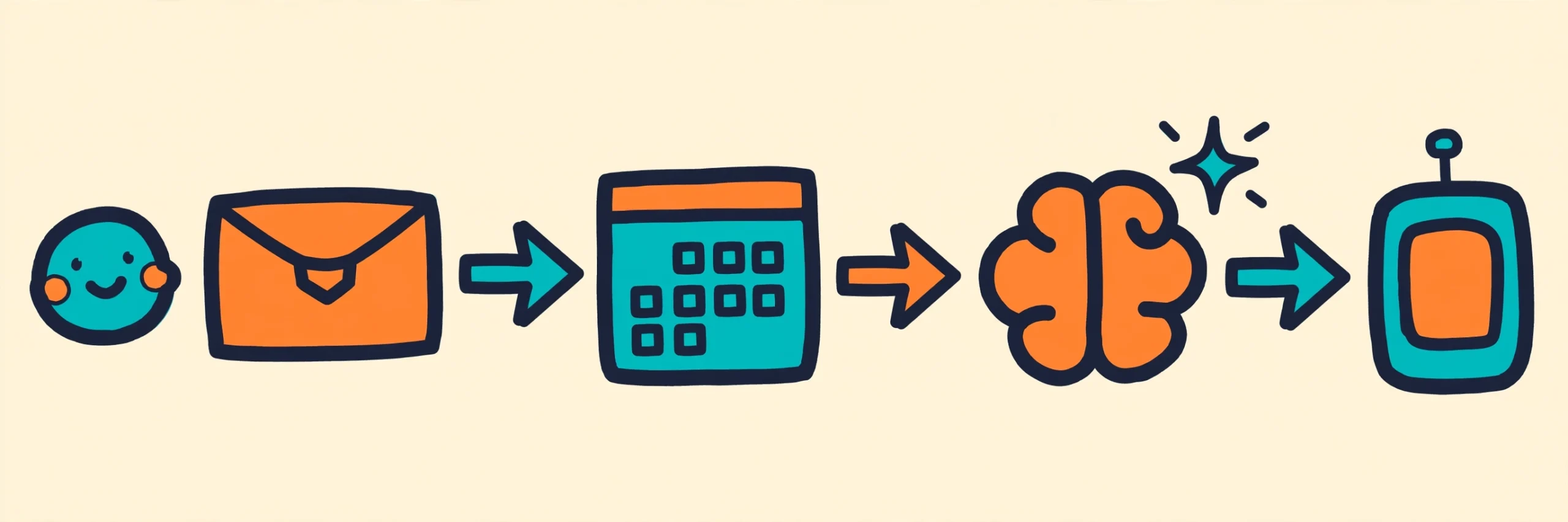
- Gmail, read-only. It asks for the unread messages in your inbox, up to 20. It does not send, delete, archive, or mark anything as read.
- Calendar, read-only. It asks for today’s events, sorted by start time.
- Score the emails. Every email gets a score. The top 5 win.
- Gemini Flash writes the brief. It gets the top 5 emails and today’s events, and a strict prompt: 5 bullets, one line each, under 15 words. Then Telegram sends it. The whole run uses 1 Gemini request a day. The free tier gives you roughly 1,000–1,500 a day.
The priority score
This is the maths, and it’s the only maths in the project. Every email starts at 1 point.
score = 1
+ 2 if the sender looks important
+ 2 if it has an urgent word
+ 1 if the subject is short and specific
Important means the sender’s name or address contains a word from your list — boss, manager, client. Urgent means the subject or snippet contains a word like deadline, today, urgent, meeting, or invoice. Short and specific means the subject is between 5 and 60 characters.
Work it through: Shop newsletter: 1 + 0 + 0 + 0 = 1. Email from Sara about lunch: 1 + 0 + 0 + 1 = 2. Client email, subject ‘Contract deadline today’: 1 + 2 + 2 + 1 = 5. Top 5 by score get sent to Gemini.
What you need
- Python 3.12.
- A Google account, for Gmail and Calendar.
- A Gemini API key — free, no card, from Google AI Studio.
- A Telegram account and 2 minutes with @BotFather.
- A GitHub account, only if you want it to run on a schedule.
- No OpenAI key. OpenAI has no free API tier.
Build it
1. Gemini API key
Go to https://aistudio.google.com, click Get API key, create one. Paste it into .env as GEMINI_API_KEY.
2. Telegram bot
Open Telegram, message @BotFather, send /newbot, answer its questions. It gives you a token. Paste it into .env as TELEGRAM_BOT_TOKEN. Then message your new bot once — just say hi. Then open https://api.telegram.org/bot<YOUR_TOKEN>/getUpdates, find chat.id in the JSON. Paste it into .env as TELEGRAM_CHAT_ID.
3. Gmail and Calendar access
Go to Google Cloud Console, create a project, enable the Gmail API and the Google Calendar API, create OAuth credentials for a Desktop app, and download credentials.json into the project folder. The first run opens a browser once so you approve read-only access. After that it saves token.json and runs without you. The scopes are gmail.readonly and calendar.readonly.
4. Run it
cp .env.example .env
pip install -r requirements.txt
python main.py
You should get the brief on Telegram within a minute. If you don’t, check the chat id first. It’s always the chat id.
The code
The project is small on purpose. Five Python files, each doing one job.

morning-brief-agent/
  main.py
  brief.py
  gmail_client.py
  calendar_client.py
  telegram_send.py
  config.py
  requirements.txt
  .env.example
  .github/workflows/morning-brief.yml
main.py is the whole story in 20 lines.
from brief import build_brief
from calendar_client import get_calendar_service, get_today_events
from config import load_settings
from gmail_client import get_gmail_service, get_unread_emails
from telegram_send import send_telegram_message


def main():
    settings = load_settings()
    gmail = get_gmail_service()
    emails = get_unread_emails(gmail)
    calendar = get_calendar_service()
    events = get_today_events(calendar)
    brief = build_brief(emails, events, settings)
    send_telegram_message(brief, settings)


if __name__ == "__main__":
    main()
The scoring lives in brief.py.
def priority_score(email, important_senders, urgent_words):
    score = 1
    sender = (email.get("sender", "") or "").lower()
    subject = email.get("subject", "") or ""
    snippet = email.get("snippet", "") or ""
    if any(word in sender for word in important_senders):
        score += 2
    if any(word in (subject + " " + snippet).lower() for word in urgent_words):
        score += 2
    if 5 <= len(subject) <= 60:
        score += 1
    return score
And the prompt to Gemini is strict: Write exactly 5 bullet points for today. Each bullet is one line, under 15 words. No greetings, no filler words. If Gemini fails the code falls back to a plain list of the ranked emails.
Make it run every morning
GitHub Actions — recommended. The file .github/workflows/morning-brief.yml is already in the project. Push the folder to a private GitHub repo, add secrets GEMINI_API_KEY, TELEGRAM_BOT_TOKEN, TELEGRAM_CHAT_ID, GMAIL_CREDENTIALS_JSON, GMAIL_TOKEN_JSON, and it runs at 01:00 UTC — 07:00 in Dhaka. Change the cron line if 7am isn’t your 7am. 0 1 * * * is 01:00 UTC.
Cloudflare Cron — as a trigger, not a replacement. Cloudflare Workers run JavaScript, not this Python script. Use a Cron Trigger on a small Worker to call the GitHub Actions workflow_dispatch API.
What broke
- The brief was a novel. My first prompt said ‘write a morning brief’ and Gemini wrote 12 bullets, a greeting, and a motivational quote. I added ‘exactly 5 bullets, one line each, under 15 words, no greetings’ and it behaved.
- Telegram said nothing. The bot couldn’t message me because I’d never messaged it. I messaged it ‘hi’, got the chat id, and it worked.
- The calendar token expired. Gmail and Calendar share credentials.json but need their own token flow. The first run asks once per service.
Download the project
The full project — all the code above, the GitHub Actions workflow, .env.example, and the README — is in one zip. Unzip it, copy .env.example to .env, fill in the three keys, run python main.py, and check Telegram. Tomorrow at 7am, read 5 lines instead of 50 emails.