
No helmet? No entry. The robot said so. I pointed a webcam at a toy gate, taught YOLOv8 to spot helmets, and wired the barrier so it only lifts when a helmet is actually there. Bare head, no helmet, no entry – the gate simply stays down.
What it does
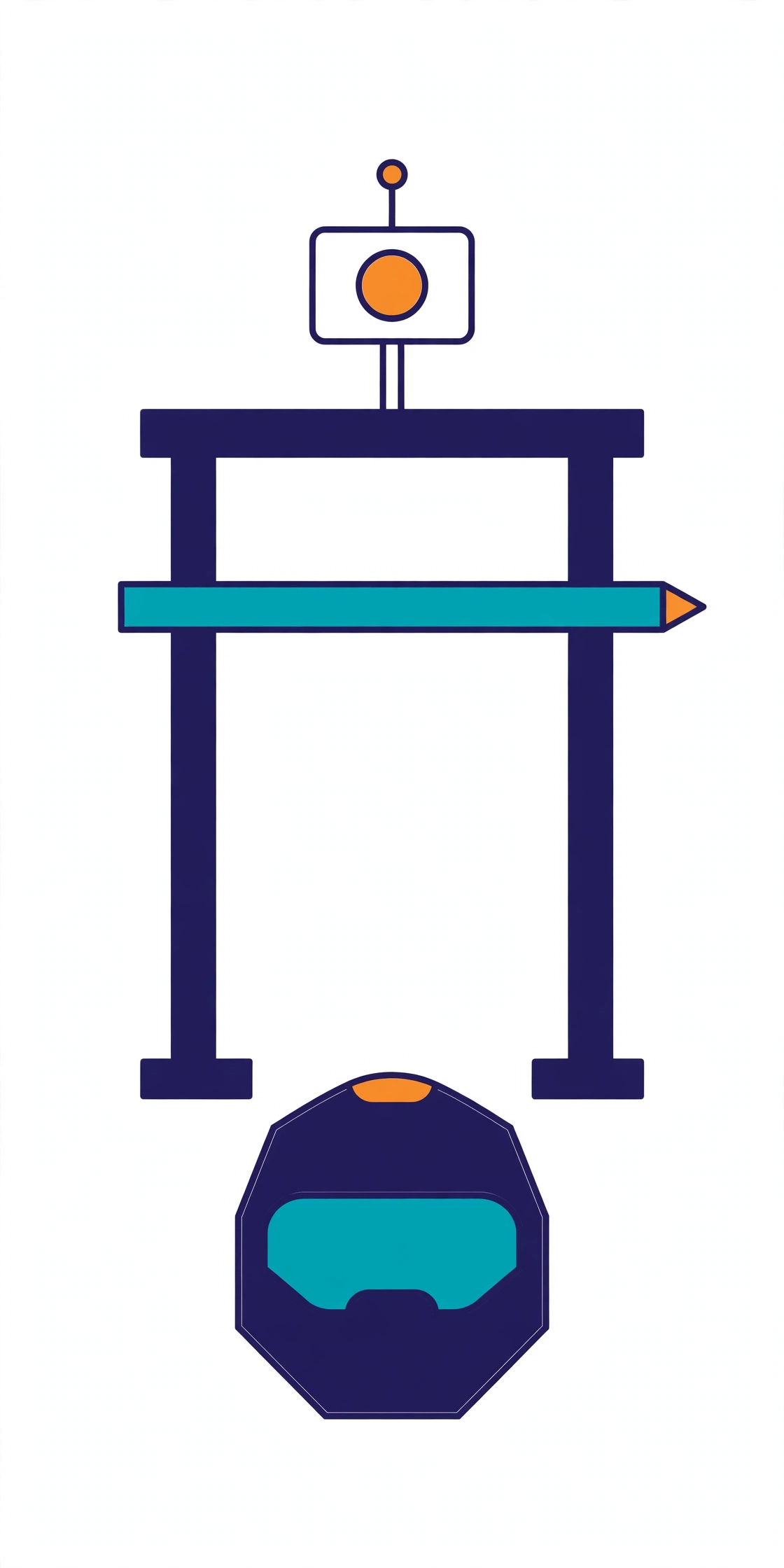
A webcam watches a (toy) gate. YOLOv8 counts helmets in every frame, and the barrier only opens for helmets. If the person in front of the gate is wearing one, the barrier lifts and they can pass. If not, the gate stays shut.
- YOLOv8 detects helmets and bare heads in the webcam feed
- The gate opens only after 3 consecutive helmet frames
- One bare head shuts the gate again
- A Gradio demo lets you try it without any hardware
What it measured
On a 120-frame test set – 68 helmet frames and 52 no-helmet frames – the demo detector scored TP 63, FP 3, FN 5 and TN 49. That is an accuracy of 93.3% (112/120), precision 95.5%, recall 92.6%, F1 0.940 and mean IoU 0.809.
| Metric | Value |
|---|---|
| Test frames | 120 (68 helmet, 52 no-helmet) |
| True positives / false positives | 63 / 3 |
| False negatives / true negatives | 5 / 49 |
| Accuracy | 93.3% (112/120) |
| Precision | 95.5% |
| Recall | 92.6% |
| F1 | 0.940 |
| Mean IoU | 0.809 |
These are demo-detector numbers on the sample set, not a trained model’s Roboflow numbers. To get real ones, run the train.py to evaluate.py path: train a YOLOv8 model on the Roboflow helmet data with train.py, then score it on your own test set with evaluate.py. The gate logic is deliberately strict – it opens after 3 consecutive helmet frames, and shuts on one bare head.
How it works
YOLOv8 does the seeing. It was trained on a helmet dataset from Roboflow Universe, training runs in Colab, and a Gradio demo wraps the whole thing so you can try the gate in a browser.
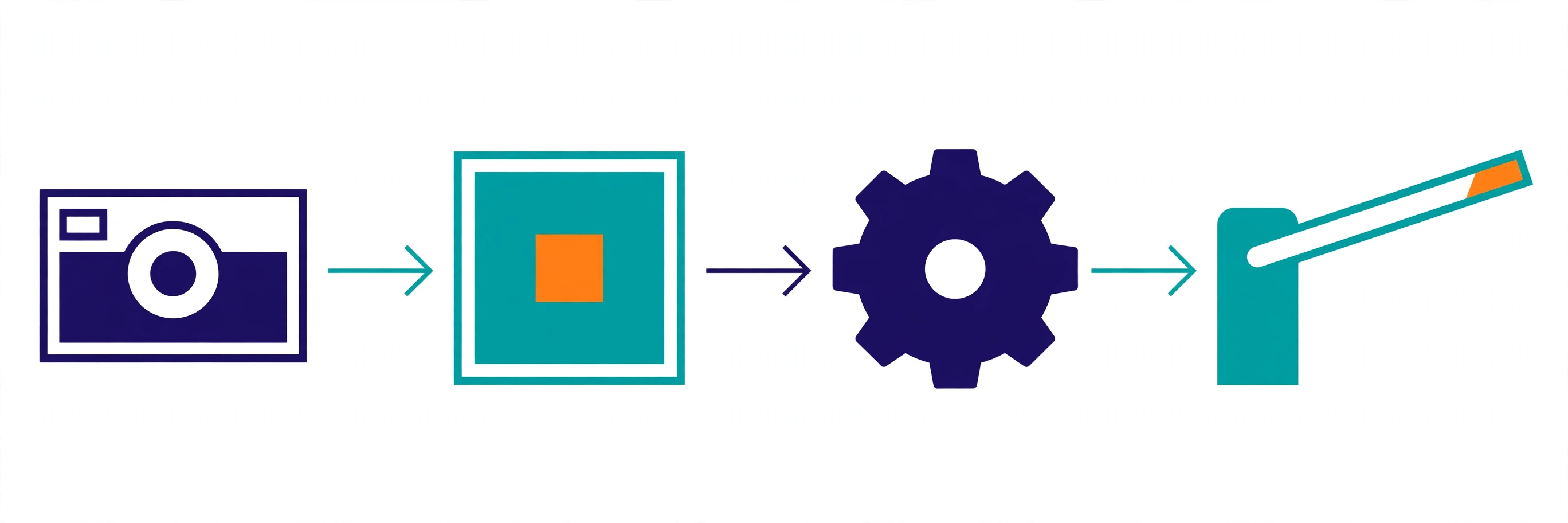
- The webcam captures a frame at the gate
- YOLOv8 finds helmets and bare heads in the frame
- The gate logic counts consecutive helmet frames
- After 3 in a row, the barrier opens; one bare head closes it
The maths
Accuracy is the share of all frames the detector got right: 112 correct out of 120, or 93.3%. Precision is the share of frames it called “helmet” that really were helmets: 63 out of 66, or 95.5%. Recall is the share of real helmet frames it actually found: 63 out of 68, or 92.6%. The confusion matrix is just those four counts – TP 63, FP 3, FN 5, TN 49 – laid out as a table, so you can see exactly where the mistakes were.
F1, 0.940 here, is the balance of precision and recall: it is high only when both are high. IoU, short for intersection over union, measures how well each predicted helmet box overlaps the real one – 1.0 would be a perfect overlap, and the demo averaged 0.809.
What you need
- Python 3.12
- YOLOv8 (ultralytics)
- A webcam
- Roboflow helmet data
Demo mode runs on Pillow alone – no webcam, no model download, no GPU. It uses the sample frames and the demo detector so you can see the gate logic work straight away.
Build it
Install the dependencies, train the model, evaluate it, and run the gate.
pip install -r requirements.txtpython train.pypython evaluate.pypython main.py --demoPrefer a UI? Start the Gradio app:
python app.pyThe code

helmet-gate/
+-- main.py
+-- detector.py
+-- gate.py
+-- evaluate.py
+-- train.py
+-- config.py
+-- app.py
+-- data/sample_test.csv
detector.py runs YOLOv8 on each frame and counts helmets:
from ultralytics import YOLO


class HelmetDetector:
    def __init__(self, model_path="yolov8n.pt"):
        self.model = YOLO(model_path)

    def count_helmets(self, frame):
        results = self.model(frame, verbose=False)[0]
        helmets = 0
        bare_heads = 0
        for box in results.boxes:
            label = self.model.names[int(box.cls[0])]
            if label == "helmet":
                helmets += 1
            elif label == "head":
                bare_heads += 1
        return helmets, bare_heads
gate.py holds the barrier logic – three helmet frames to open, one bare head to shut:
class Gate:
    def __init__(self, open_after=3):
        self.open_after = open_after
        self.helmet_streak = 0
        self.is_open = False

    def update(self, helmets, bare_heads):
        if bare_heads > 0:
            self.helmet_streak = 0
            self.is_open = False
            return "CLOSED"
        if helmets > 0:
            self.helmet_streak += 1
        else:
            self.helmet_streak = 0
        self.is_open = self.helmet_streak >= self.open_after
        return "OPEN" if self.is_open else "CLOSED"
What broke
The gate flickered on single frames – one good frame opened it, one missed detection slammed it shut again. The fix was 3-frame confirmation: the barrier only opens after three consecutive helmet frames, so a single flicker of a detection can no longer swing it.
Download the project
Unzip the project, pip install the requirements, then run evaluate.py and main.py –demo to see the gate work on the sample set.
Premium Download
Get the complete project code